Simplifying Repetitive Tasks with Python Loops

This post on For and While loops is part of my Zero to Network Automation series. Be sure to catch the whole journey on its dedicated page.
A loop is a method for us to automate repetitive tasks. If you’re always configuring 48 port switches, checking the status of network devices, or monitoring a link state, then you’re manually repeating tasks.
Have you ever had to copy and paste configuration from a template onto a network switch? We can use loops to automate that type of task.
In network engineering, there are many repetitive operations. From applying a configuration to multiple interfaces, to checking a state until a change occurs, to verifying configuration meets certain criteria.
With a loop, we can write it once and let it run a certain amount of times or until a certain condition happens.
There are two main types of loops we’ll go through: FOR loop and WHILE loop.
FOR Loop
The For loop is used when there’s a known quantity of things we want to iterate through. We know what we want to check, and we’ll go through each one.
The syntax:
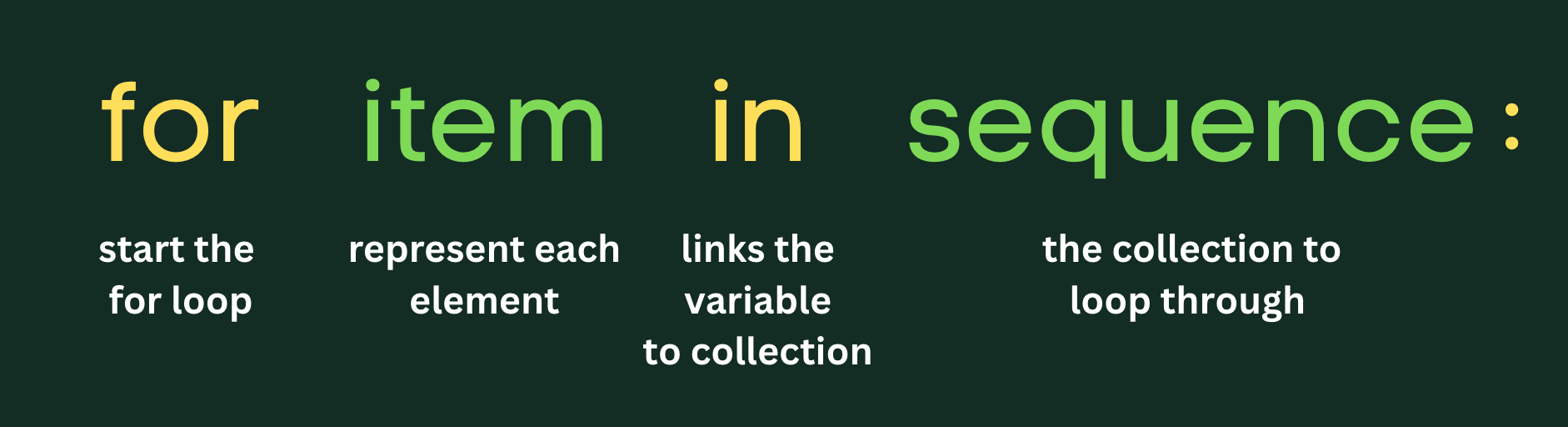
Let’s say I wanted to generate simple VLAN configuration for a switch. I want to add VLANs 1-5 and give it a name of “USER_VLAN_ID#”:
for vlan in range(1,6):
    print('vlan ' + str(vlan))
    print(' name USER_VLAN_' + str(vlan))
    print('!')
The output will result in:
vlan 1
 name USER_VLAN_1
!
vlan 2
 name USER_VLAN_2
!
vlan 3
 name USER_VLAN_3
!
vlan 4
 name USER_VLAN_4
!
vlan 5
 name USER_VLAN_5
!
for vlan in range(1,6): - We initiate the for loop with the for keyword. I am using vlan as an element in a sequence within the range() function.
The range() function will generate numbers based on my input: range(start, stop). I am starting with the integer 1 and ending right before integer 6. The for statement ends in a column and you start the next line indented.
print('vlan ' + str(vlan)) - I am printing a string that contains the word, vlan and will concatenate a string version of the vlan item that represents each element in the range() sequence.
print(' name USER_VLAN_' + str(vlan)) - We’re printing a new line, beginning with some blank space with a string concatenation “USER_VLAN” and the VLAN item from the sequence we’re iterating through from the range() function.
print('!') - This new line we’re just printing a string of an exclamation point.
Doesn’t that output look like VLAN configuration from a Cisco switch?
WHILE Loop
The while loop is a little different from the for loop. It will keep running as long as the condition is True. We might not know how many times we need to iterate through something which makes the while loop useful.
An example I can think of is using a while loop to check on the stability of a link. I may not know when the link will be stable but I want to keep checking until it is.
Essentially, the while loop will continue until something happens and then it executes a block of code.
The syntax:
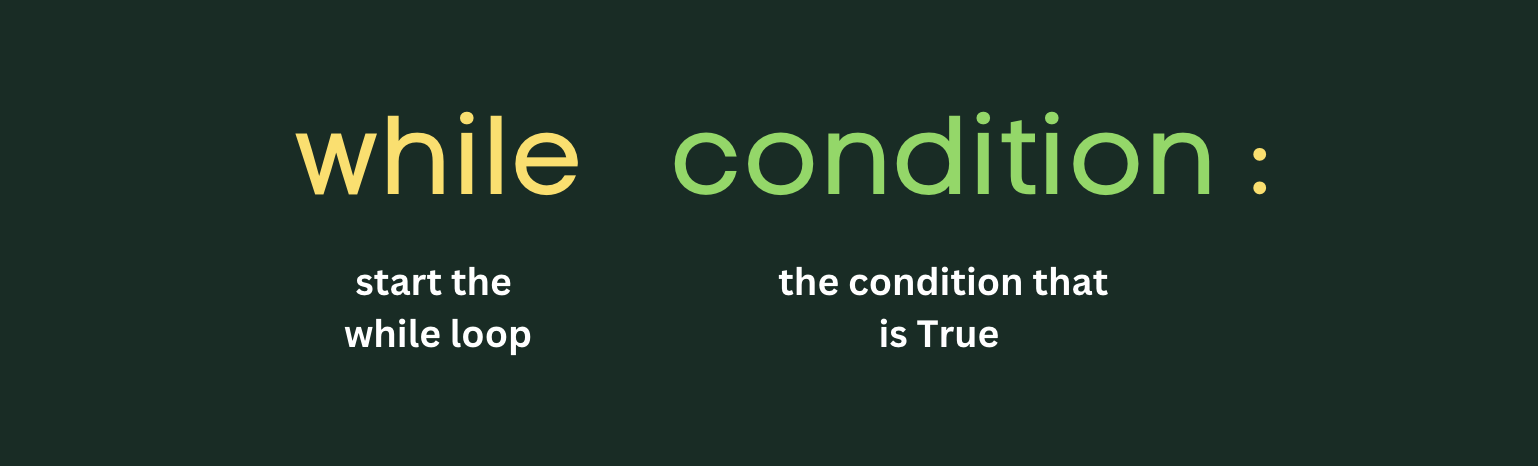
Let’s say I want to check if someone is typing in a valid VLAN number:
valid_vlan = False

while valid_vlan == False:
    vlan_id = int(input('Enter VLAN ID (1-4094): '))

    if vlan_id < 1:
        print('Error: VLAN ID cannot be less than 1')
    elif vlan_id > 4094:
        print('Error: VLAN ID cannot be greater than 4094')
    else:
        print('VLAN ' + str(vlan_id) + ' is valid!')
        valid_vlan = True
valid_vlan = False - We are setting the status to False for variable, valid_vlan
while valid_vlan == False: - We initiate the while loop on a condition, checking if valid_vlan is indeed False and ending with a colon.
valid_id = int(input('Enter VLAN ID (1-4094): ‘)) - We’re going to place an integer into this variable. We’re asking for end user input and we turn that string into an integer and store into the variable, vlan_id.
if vlan_id < 1: - We’re adding an if/elif/else statement within the while loop. And right now we’re checking if there’s any VLAN ID less than 1 entered.
elif vlan_id > 4094: - This is the else/if statement on a condition if vlan_id integer is greater than 4094 integer.
else: - Then comes the end statement with a colon to print out a string concatenation.
valid_vlan = True - In the end statement, we change the variable of valid_vlan to True and the while loop is executed again. But this time, the variable is updated which means we no longer meet the condition and therefore, the code stops executing.
Conclusion
These are some simple ways I can think of to use For and While loops. It takes some time to get used to and think through some scenarios.
Thinking of it from another perspective, I may need to learn how to think differently when it comes to utilizing a For or While loop. About what scenario would I use these for and how could I put the code together to loop through data properly.